Searching Your Chess Opening Repertoire in PGN Files with ChessSpider!
If you study chess openings seriously, you will probably have accumulated a substantial collection of PGN files containing games played by strong players. But how do you find the games that are actually relevant to your own opening repertoire?
Going through thousands, or even millions, of games manually is clearly impractical.
ChessSpider! for Windows makes this process considerably easier. You can define the positions that form part of your White and Black repertoires and then search PGN collections for games in which those positions occur.
Instead of searching for individual openings or relying on specific move orders, ChessSpider! searches for the actual positions represented by your repertoire.
1. Define Your White and Black Repertoires
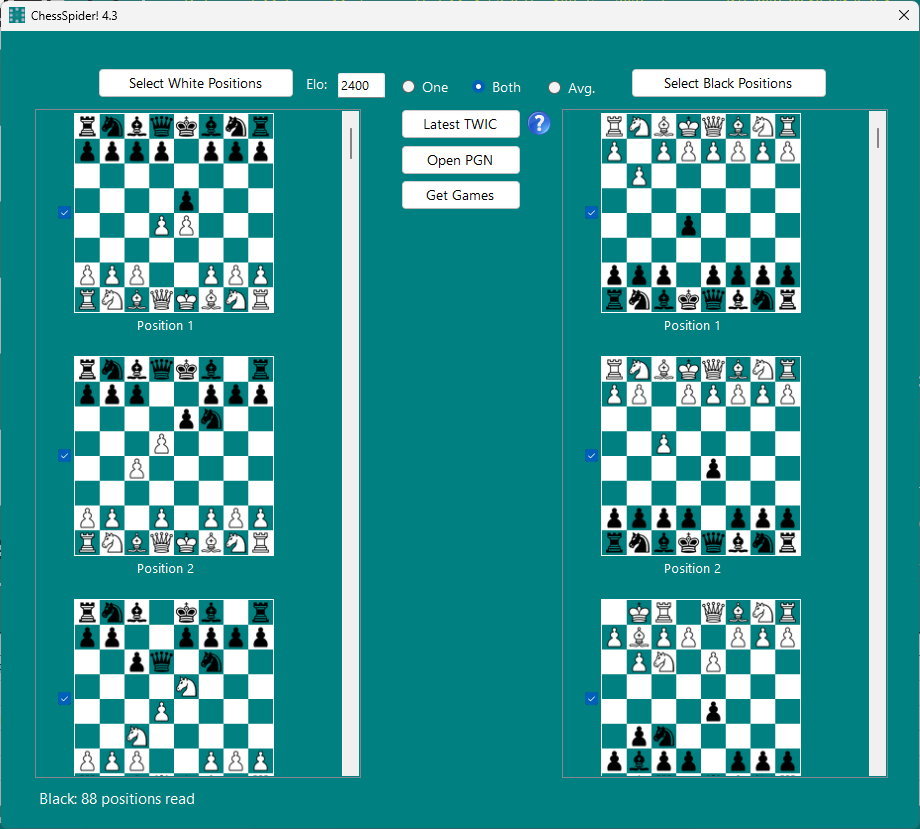
The first step is to define the positions you want ChessSpider! to search for.
You can create separate repertoire files for White and Black. Each line in a repertoire file represents a position, expressed as a sequence of algebraic chess moves.
For example, a White repertoire file might contain the following lines:
1. e4 e5 2. Nf3 Nc6 3. Bb5 Nf6 4. d3
1. e4 e5 2. Nf3 Nc6 3. Bb5 a6 4. Ba4 Nf6 5. d3
1. e4 e5 2. Nf3 Nf6 3. Nxe5 d6 4. Nf3 Nxe4 5. Nc3 Nxc3 6. dxc3
Each line represents the position reached after the moves have been played.
You can include as many positions as you need. Your repertoire can be as simple or as extensive as you wish, depending on how deeply you want to investigate your openings.
Once created, these repertoire files can be reused whenever you obtain a new PGN collection. You only need to modify them when your opening repertoire changes.
2. Transpositions Are Handled Automatically
One particularly useful feature of repertoire-based searching is the ability to deal with transpositions.
Different move orders can lead to exactly the same position. For example, consider these two sequences:
1. c4 c6 2. e4 d5 3. exd5 cxd5 4. d4
1. e4 c6 2. d4 d5 3. exd5 cxd5 4. c4
Although the moves were played in a different order, both sequences lead to the same position.
ChessSpider! works with the resulting positions rather than simply matching the exact sequence of moves. Consequently, these two repertoire entries are interchangeable for searching purposes.
You can therefore organise your repertoire according to your preferred move orders without worrying about missing games that reach the same position by another route.
3. Searching Your PGN Collections
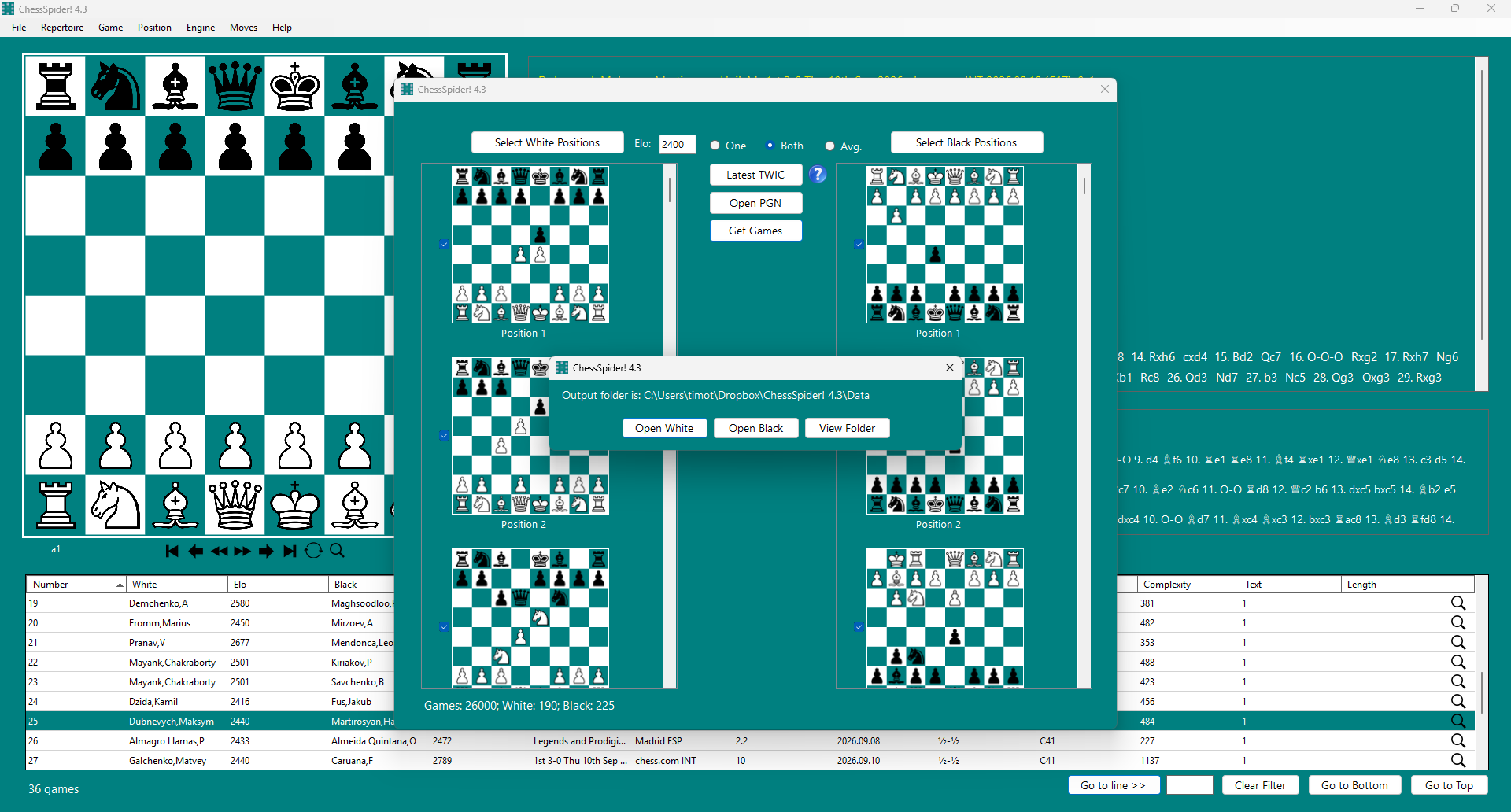
Once you have defined your White and Black repertoire positions, you can use them repeatedly to search PGN collections.
For example, you might obtain a PGN file containing games from a recent tournament, a collection of games played by a particular player, or a large database of master games.
Rather than examining the entire collection, ChessSpider! searches for games containing positions from your repertoire.
The resulting games are separated according to whether the matching positions belong to your White or Black repertoire.
This makes it much easier to build a collection of relevant games for further study and opening preparation.
4. Filter Games by Player Elo
You can also specify a minimum Elo rating for the games you want to retrieve.
For example, if you are primarily interested in how strong players handle your openings, you might specify a minimum Elo of 2400.
A game will then be selected only if:
- It contains at least one of your specified repertoire positions.
- Both players have an Elo rating equal to or greater than the minimum specified.
You can also set the minimum Elo to None if you want to retrieve all games containing your repertoire positions, irrespective of the players' ratings.
This filtering option is particularly useful when working with very large PGN collections, allowing you to concentrate on games played at the level you are interested in.
5. Searching Annotated Games and Variations
ChessSpider! is not limited to searching the main lines of PGN games.
It can also handle heavily annotated PGN files. If a position from your repertoire occurs inside an annotated variation rather than in the actual game continuation, the game can still be identified.
This is especially useful when studying annotated collections, where important opening ideas and alternative continuations are frequently discussed within variations.
You therefore do not have to restrict your searches to games containing your positions on the main game score.
6. Detecting Illegal Repertoire Sequences
ChessSpider! checks the move sequences in your repertoire files when they are read.
If an illegal sequence is encountered, the program reports the problem rather than silently accepting an invalid position.
This helps you identify mistakes in your repertoire files before carrying out a search. It is particularly useful when maintaining large repertoires containing many different variations.
7. Putting It to Practical Use
The possibilities are extensive. Here are a few examples of how you might use ChessSpider! in your own opening preparation:
Preparing for an opponent
If you know which openings your opponent is likely to play, you can search a collection of their games for positions relevant to your repertoire.
Updating your opening knowledge
When you obtain a new collection of recent master games, you can run the same repertoire search again to find new examples of positions you are studying.
Studying how strong players handle your openings
By setting an appropriate minimum Elo, you can concentrate on games played by stronger opponents.
Building a personal opening database
You can use the resulting games as a focused collection of material for studying, analysing and updating your repertoire.
ChessSpider! for Windows
ChessSpider! is designed for players who want to work with their own opening repertoires and large collections of chess games.
Rather than manually searching through thousands of games, you define the positions that interest you and let the program identify the relevant games.
Whether you are preparing for tournaments, maintaining an extensive opening repertoire or researching how particular positions are handled by strong players, ChessSpider! provides a practical way to find the games you need.
ChessSpider! for Windows is available for €19.99.
The purchase also includes SpiderBase26, a free PGN collection containing approximately 1.1 million games played by strong chess players.
Discover ChessSpider! for Windows